Wallets KYC — Account Upgrade feature.
Overview
Wallets Africa is a digital financial platform that allows people to send and receive money and make payments using phone numbers around Africa. As a platform that offers financial services, Wallets is required to have certain information about its users in order to verify their identity and curb potential fraud/illegal activities on the platform.
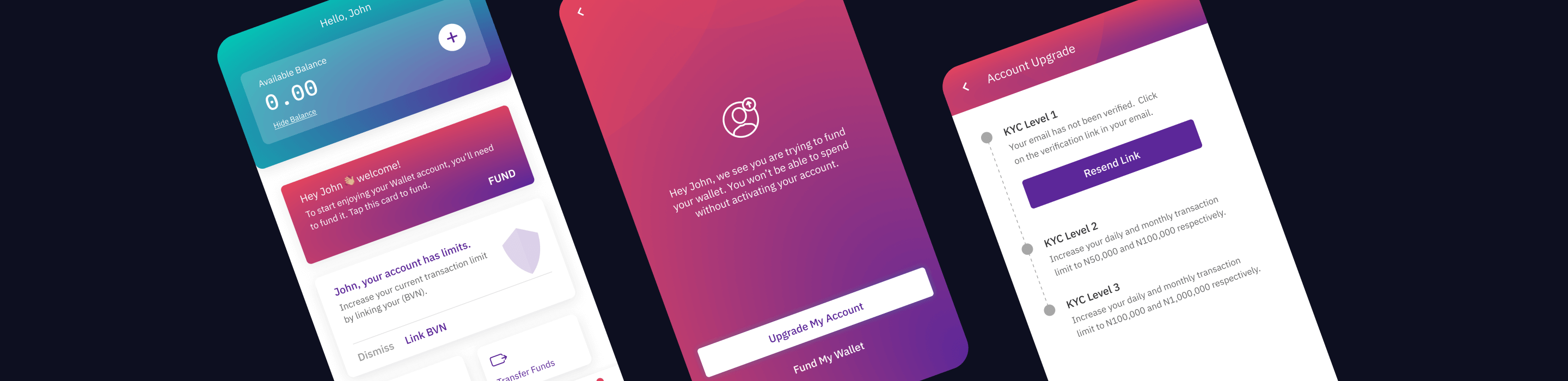
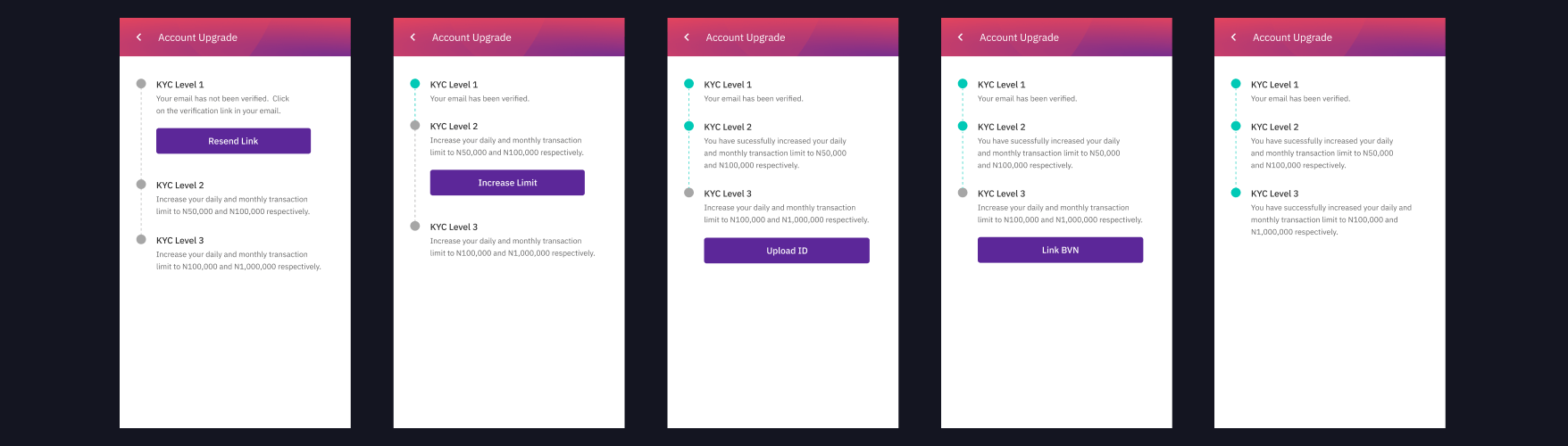
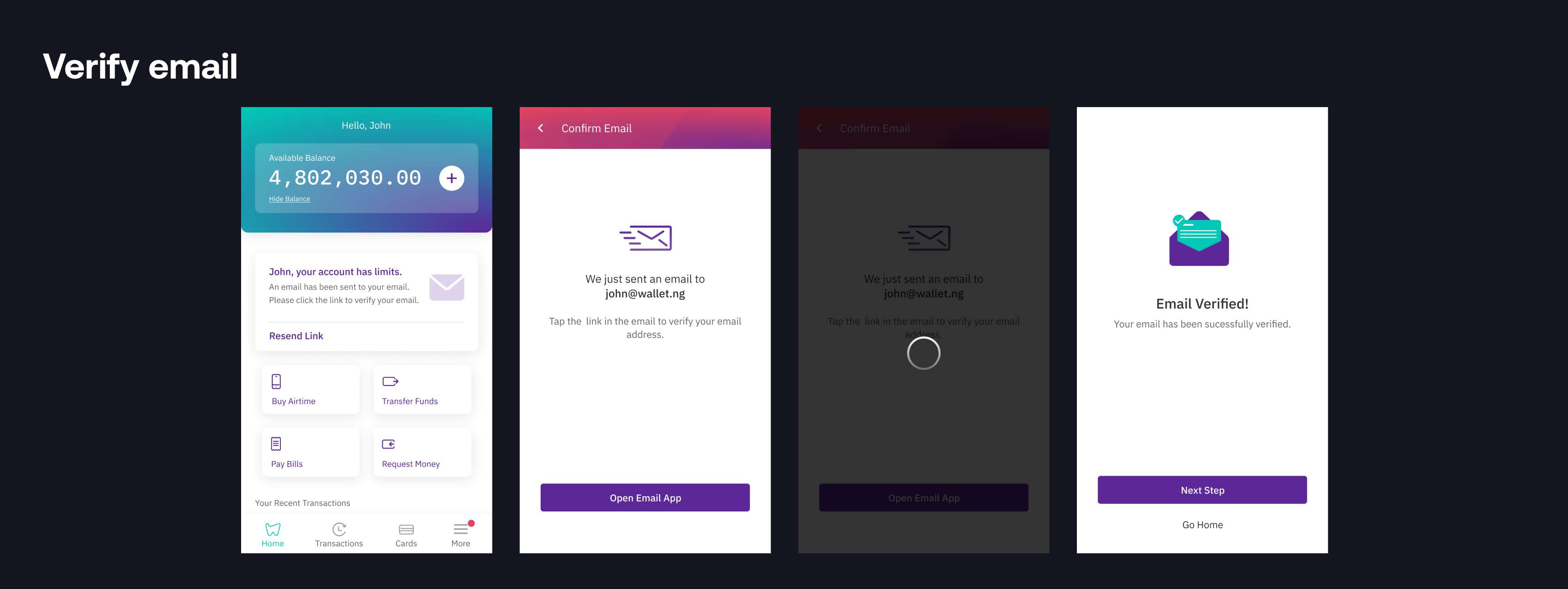
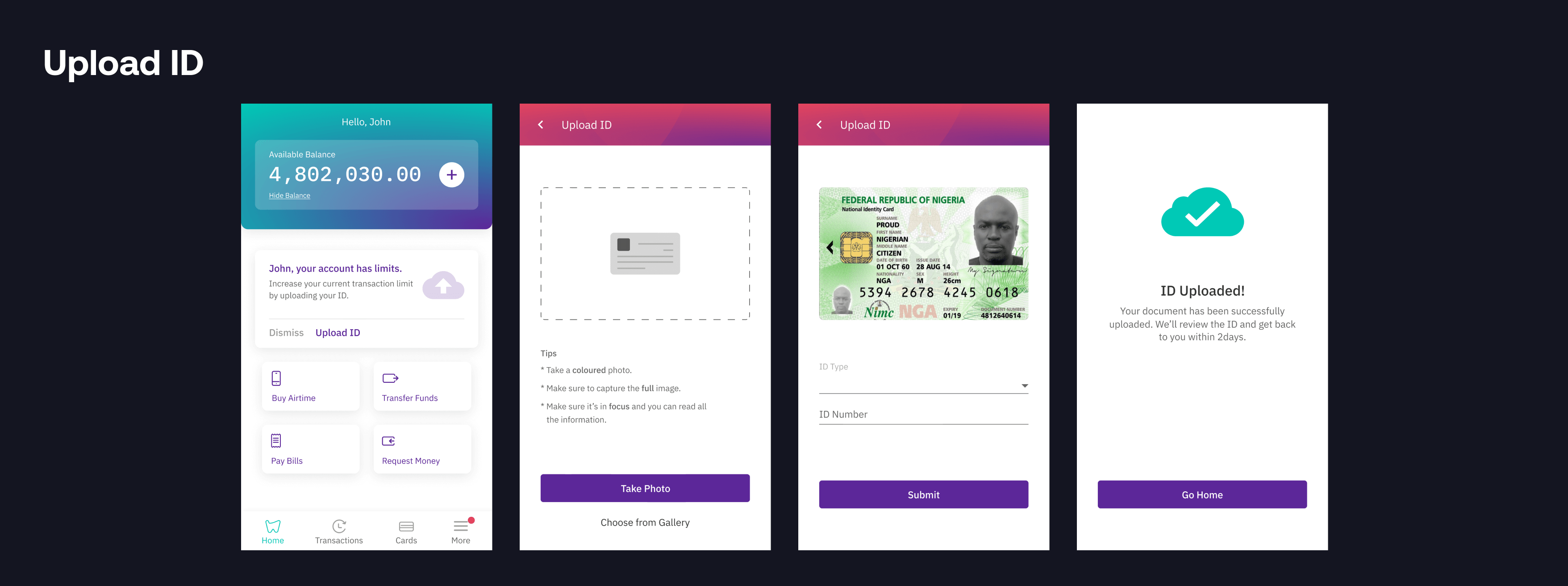
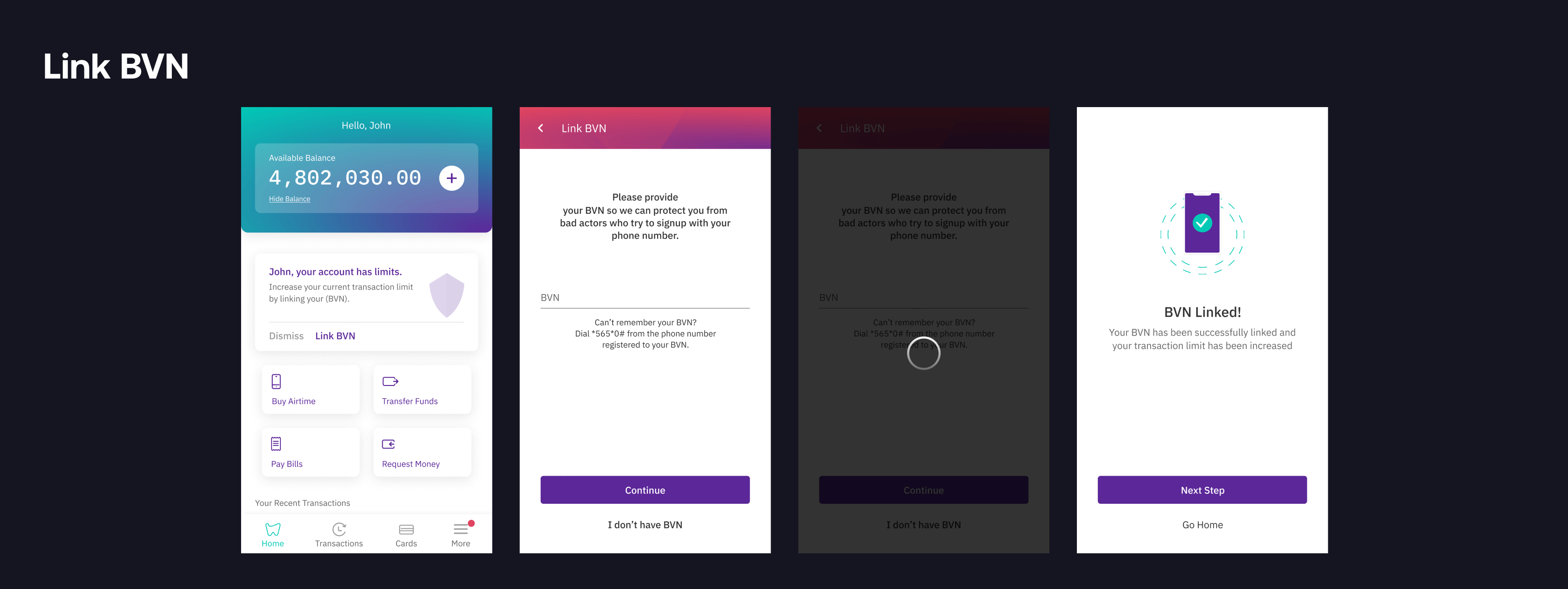
The account upgrade feature helps users increase their transaction limits without reaching out to Customer Support for help or to know why their transaction failed due to a limit on their account. Transaction limits depend on the information provided by the user. This means a user's transaction limit depends on whether the user has verified his email, uploaded his means of identification, or linked his bank verification number, BVN.
Defining the problem
As a result of the feedback and complaints from customers, we were able to identify some usability issues and pain points.
- Pain Point 1 - Long Onboarding: At sign up, users needed to input some information in order to perform some transactions, if not all. Users gave feedback about it being too much, leading to their dropoffs at that point.
- Pain Point 2 - Confusion on the Account Limit: The lack of categorisation made it difficult and confusing for users to know the limit (daily and overall limits) on their accounts. Leading to frequent calls from customers asking for assistance.
Objectives
- Optimization of the Onboarding Experience: Improve the sign-up experience by reducing the number of clicks involved in completing the process.
- Pain Point 2 - Confusion on the account limit: The lack of categorisation made it difficult and confusing for users to know the limit (daily and overall limits) on their accounts. Leading to frequent calls from customers asking for assistance.
Objectives
- Optimization of the Loan Application Experience: Improve the experience in order to help users fulfill their needs and navigate through the app with ease. Addition of new features where it's needed to fill the loopholes in the overall flow.
- Clear Communication and Improved Upgrading Process: To keep users informed about the requirements needed to increase their transaction limits without needing help while also reducing the frequency at which users contact customer support concerning transaction limit.
Solution
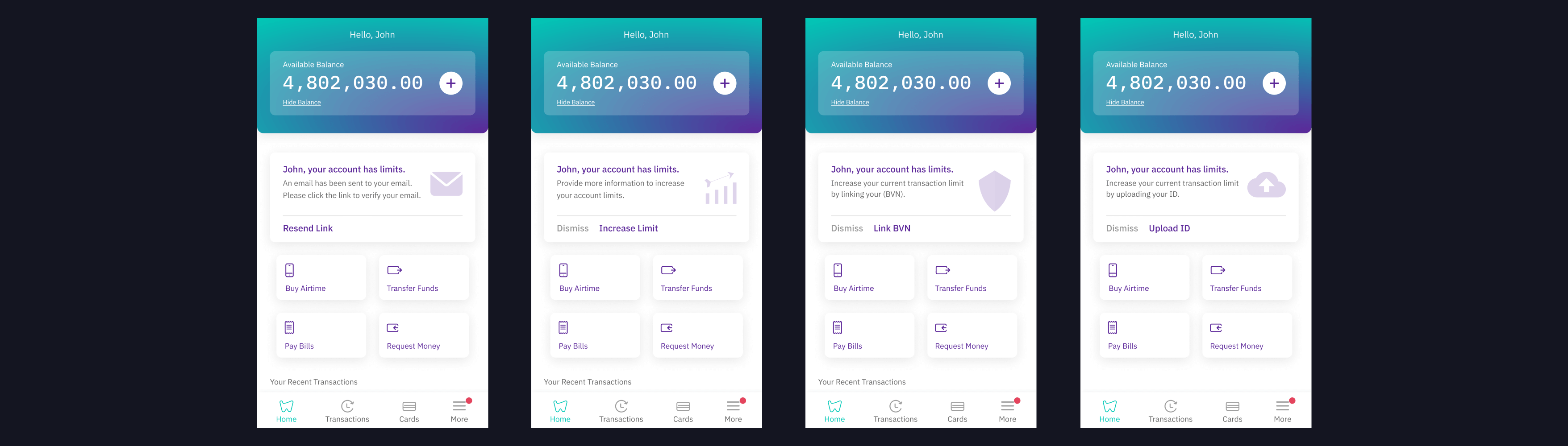
After several back and forth, we had two solutions. For a user to increase the limit on a wallets account, a user can either get a notification on his dashboard or in his inbox.
Dashboard Notification
The notification comes in card form. Users can either perform the required action or dismiss the card.
Inbox Notification
An indicator showing unread is always on the inbox to notifies a user of unread messages. An account upgrade message is pinned at the top of the user's inbox. Even if the user doesn't have a new message, he always sees an indicator telling him he has one until all the levels (transaction limits) have been attended to.
When a user clicks on the account upgrade message, it takes him to an account upgrade page, where he see all the levels (transaction limits) and their requirements. The page also tells the user the current level he is on and what to do in other move to the next level.
Other screens
Role
I was part of a small team responsible for the experience and design of the mobile and web solution of the feature. I worked closely with the design lead and product manager on capturing the requirements and with the developers to implement the designs. I was in charge of creating both the mobile and web UIs which was overseen by the design lead.
Challenges
This was my first project that went live. The major problem was communication. It was a bit tasking trying to make the engineers understand the requirements and the flow. There was a lot of back and forths but in the end everybody was in sync.